A hardware company that needed a product.
LifeLens had built a wearable ECG monitor that actually worked. Small, microprocessor-powered, capable of capturing real-time physiological data in the field. Good enough to win a government contract on hardware alone.
The problem was there was nothing around it. No app, no dashboard, no product strategy. Just raw sensor data going into a database with nobody reading it. There was a presentation booked with military leadership and about four months to build something worth showing them. The users weren't test subjects in a lab — they were Servicemen, and the data being tracked (heat stroke, cardiac distress, combat readiness) wasn't abstract.
Nobody at the company had defined what the software should be, and the deadline meant nobody was going to have time to do it in parallel with me. So that became my job before design did: decide who the product was for, what it was supposed to tell them, and what we were willing to leave out to make the date.
No users to research. So I started from the data.
You can't run standard discovery when the user population is classified, the product doesn't exist, and there's four months on the clock. Rather than run a compressed version of a process that wasn't going to work, I inverted it: start from the one thing that was already true — the signals the device could produce — and reason forward to what a decision-maker would need to do with them.
Understand the data
We catalogued every signal the device could output — heart rate, respiration, core temperature, geolocation — and mapped what each meant operationally. Understanding the data deeply let us make design decisions with confidence instead of guessing.
Talk to stakeholders
Sessions with senior military leaders surfaced a consistent vocabulary: "command center," "leaderboard," "heads-up display." Nobody asked for two products — but that language told me leaders and individuals were doing fundamentally different jobs with the same data, and I used it to argue for a two-application architecture before anyone drew a screen.
Sketch early, sketch fast
A lot of hand sketching at this stage. Getting rough concepts in front of people early was more useful than polished work nobody had reacted to yet.
Build the system first
Once we understood the data flow — wearable to phone to server to tablet dashboard — we built a shared component system before designing either app. That single decision is what made it possible to ship two products in the same timeline.
Test on myself
With no users available, I became one. I wore the device on my own runs and watched my data stream into the database in real time. It surfaced problems in the data model that no amount of whiteboarding would have — and when you can't research your way to an answer, you find another way to get evidence.
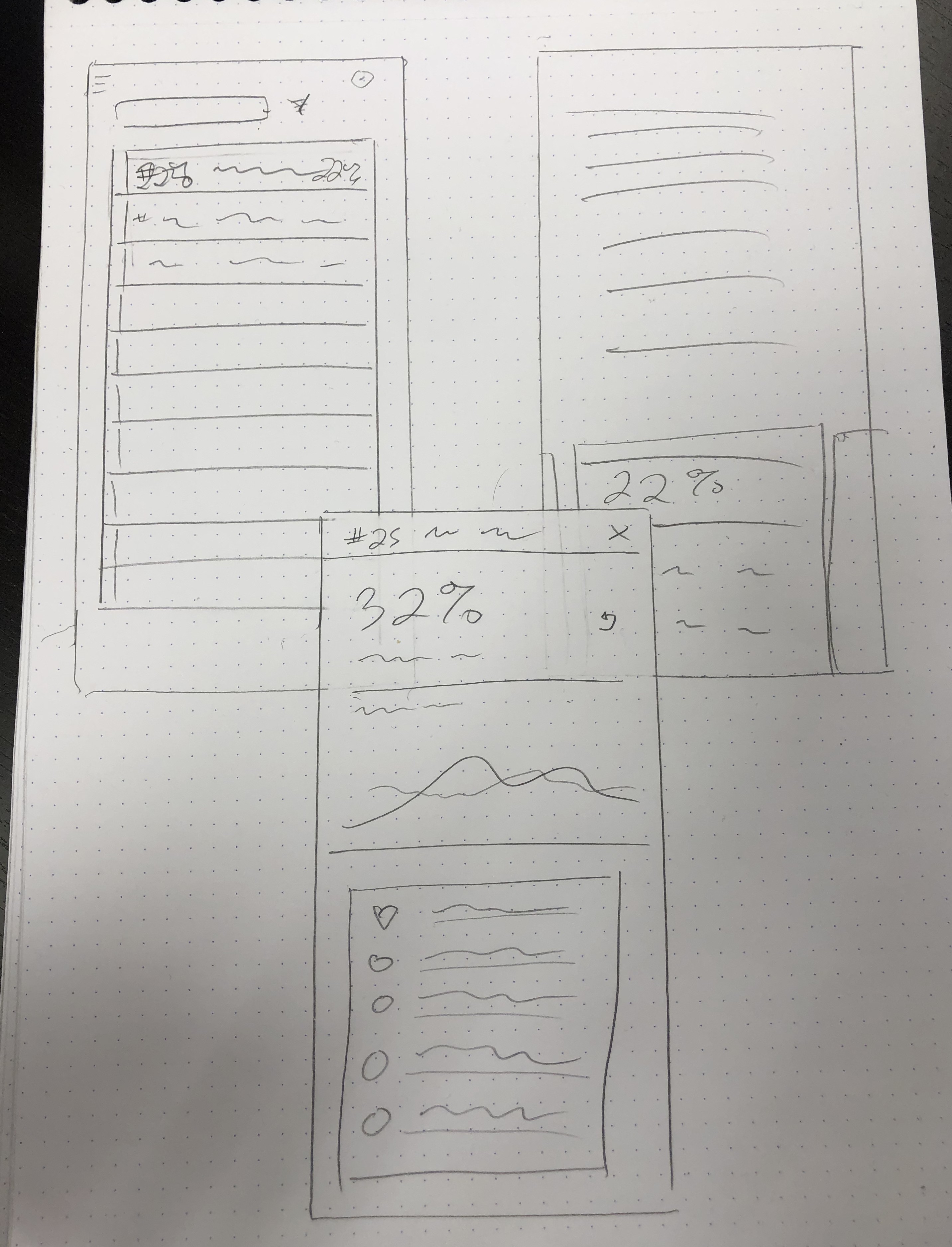
Early sketches — data card layout, individual health view, and status list
Two apps. One system.
The product was really two things: an Android mobile app for individual Servicemen to pair their device and track their own data, and a tablet-based command dashboard for unit leaders watching their whole team at once. Different contexts, same underlying component system.
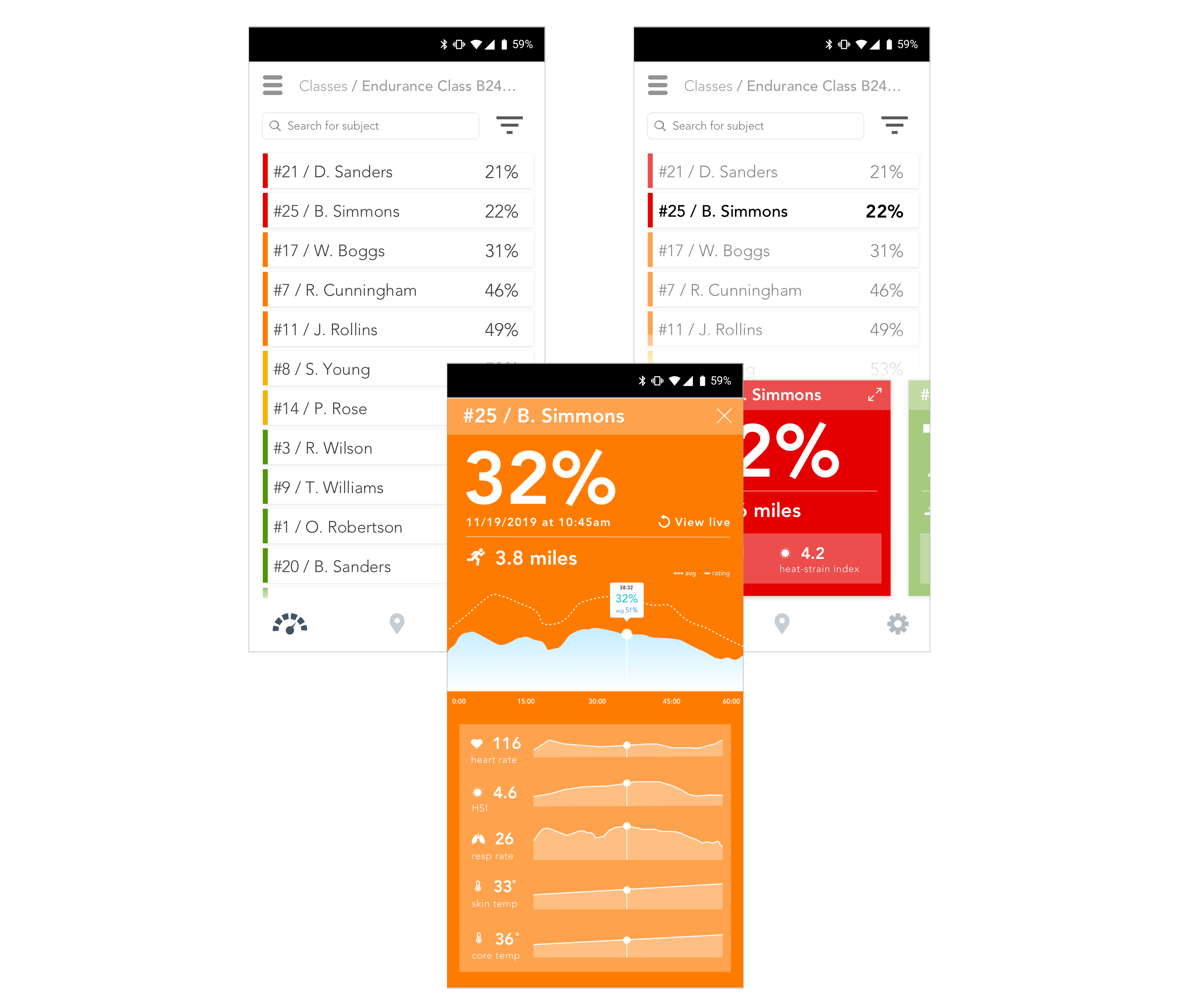
Command dashboard — real-time monitoring across the full unit
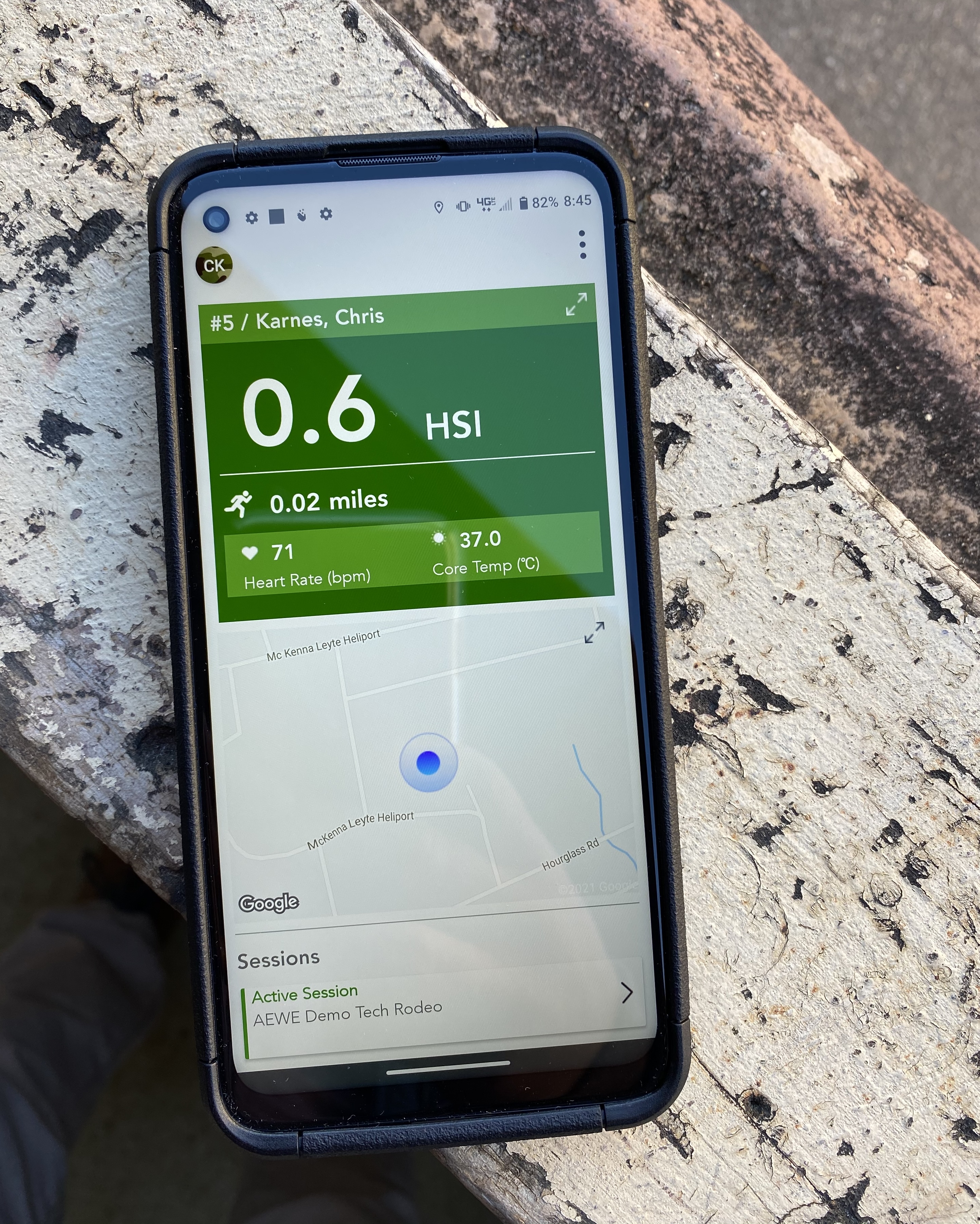
Individual mobile app — device pairing, onboarding, and personal health view
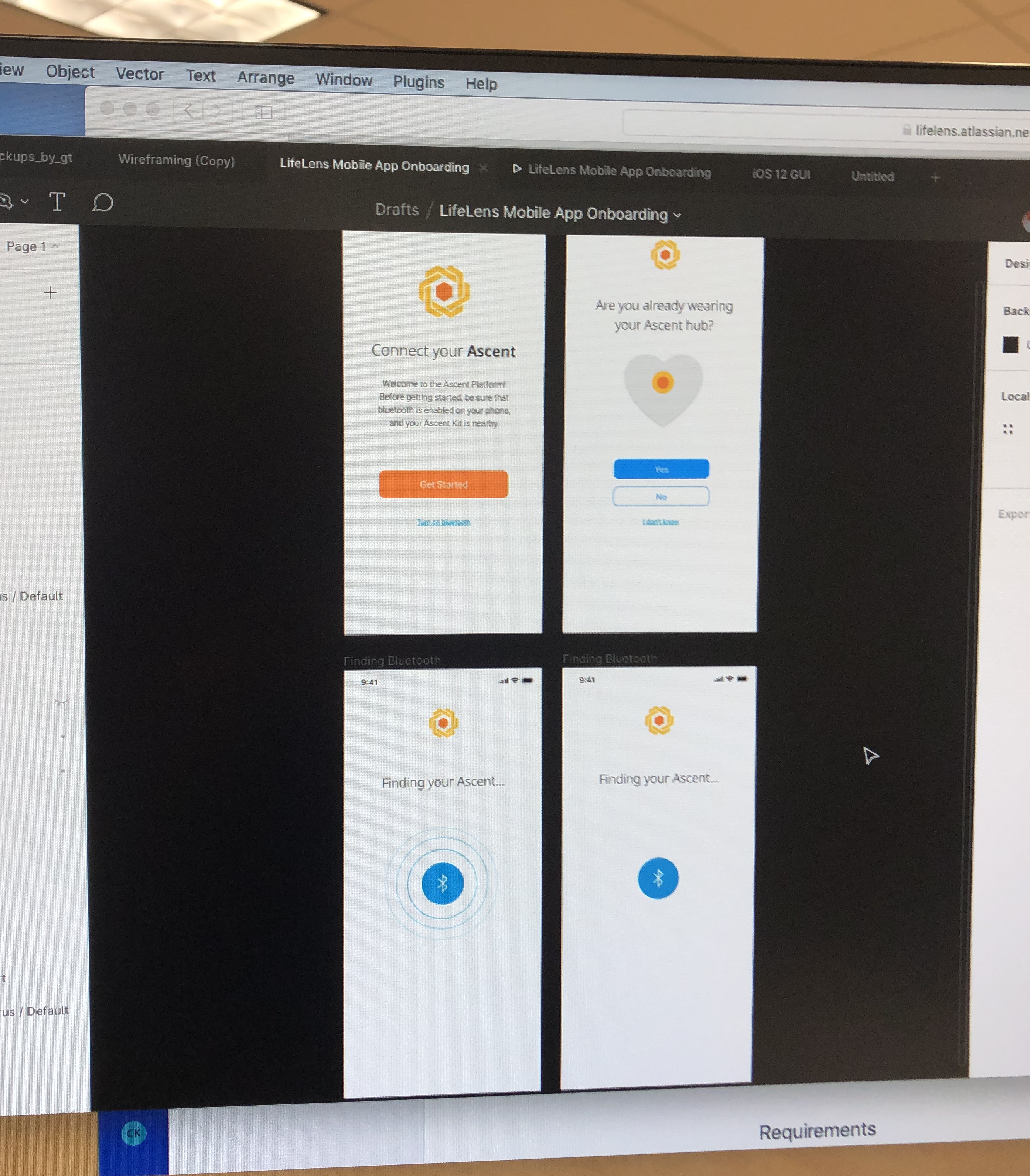
Early onboarding design — Connect your Ascent and Bluetooth pairing screens
Mobile and command views side by side, built on shared components
The calls I made, and what they cost.
Two applications, not one — with a third of the team you'd want
The safe scope was one app. I argued for two, because a Serviceman checking his own readiness and a commander triaging forty people are not the same product with a different filter, and shipping the compromise version would have demoed badly to the audience that mattered. The bet only worked if the two shared everything underneath, which is what drove the next decision. Scoping this way meant explicitly cutting depth in both apps to buy breadth across them — the right trade for a demo whose job was to prove the concept, not the roadmap.
Spend week one on the system, with three weeks of runway visible
Committing a week of a sixteen-week project to a component library before a single screen existed was the least popular thing I did, and it's what made two products possible on that date. Health metric cards, status indicators, geolocation views — built once, consumed twice. I made the case to engineering in their terms: build these components once and you implement each one a single time. That got me the week.
Componentize past what we needed, on purpose
Every piece of data got built as a reusable, self-contained component, including ones the demo didn't require. The practical result: a user's geolocation reads identically on their own device and on the command dashboard. When people make fast decisions under pressure, an inconsistency is a risk, not a polish issue. It also meant the product had somewhere to go after the demo — which turned out to matter, because it kept going.
Early component system and wireframe explorations
Demoed in the field. Deployed in the Armed Forces.
The first real test wasn't a usability session or a stakeholder review. It was a live training exhibition outside Atlanta. I was on the ground helping Servicemen pair their devices and walking unit leaders through the dashboard while their teams ran drills — which is also the only user research this product ever got before it was real.
The right way to measure this one isn't engagement. It's that a hardware company with a single contract walked out of that exercise with a software product, a design system, and continued government-funded development. The two-app architecture and the component system both survived the demo and became what the team built on afterward. Four months earlier, none of it existed and nobody had decided what it should be.
From no product strategy to live military deployment in four months. Two applications and a shared design system, defined, designed, and shipped for a real field exercise with the US Army — leading to continued use and further government-funded development within the Armed Forces.
LifeLens deployed during a live training exercise